What Is Multi-Stream? How to Watch Multiple Games on One Screen
On sports-viewing sites, multi-stream means keeping several live games visible on one screen. You'll also see it called multiview. Instead of switching tabs whenever another score changes, you can follow the games side by side and give the most important one your attention.
Think of a basketball game coming down to the last possession while a second matchup goes to overtime. You don't need four televisions to keep both in view. You need a service that supports the games you want, a readable layout and one commentary feed you can actually follow.
Start with two games worth watching
Before building a four-game screen, check which events overlap. The sports listings on Buffstreams can help you spot matchups to follow; confirm their dates and start times against the current schedule.
Choose your main game, then one other you genuinely want to keep an eye on. Starting with two makes it easier to judge whether the picture is large enough and playback stays smooth on your device. Add more only when they make the evening better. An empty slot isn't a problem to solve.
How to build a view on StreamEast
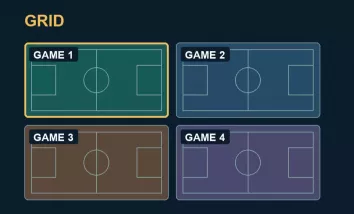
StreamEast's multi-stream page brings the game selector and viewing layout together. Its interface describes room for up to four games and offers Grid and Focus modes, so you can choose between equally sized views and one larger main picture.
The page's controls suggest this straightforward setup:
- Choose a league and add an available game.
- Add a second matchup, checking that it's the event you intended.
- Select Grid for equal views or Focus for one main game.
- Adjust the selection as games finish or another matchup gets interesting. The interface includes a replacement prompt when all four slots are filled.
These steps describe the published controls, not a live playback test. Available games and working feeds can change. Fullscreen and Theatre mode are also listed; check how they behave on your own screen.
Grid or Focus depends on the moment
Grid makes sense when the games matter about equally. Two close NBA games can sit side by side without either being relegated to a tiny corner. With more games, you can scan the scores and move your attention when something changes.
Focus is better suited to a main event with something else happening alongside it. Keep the tight finish large and leave a game at halftime in a smaller view. You can change your priorities as the night develops; the layout doesn't have to stay fixed from tip-off to the final buzzer.
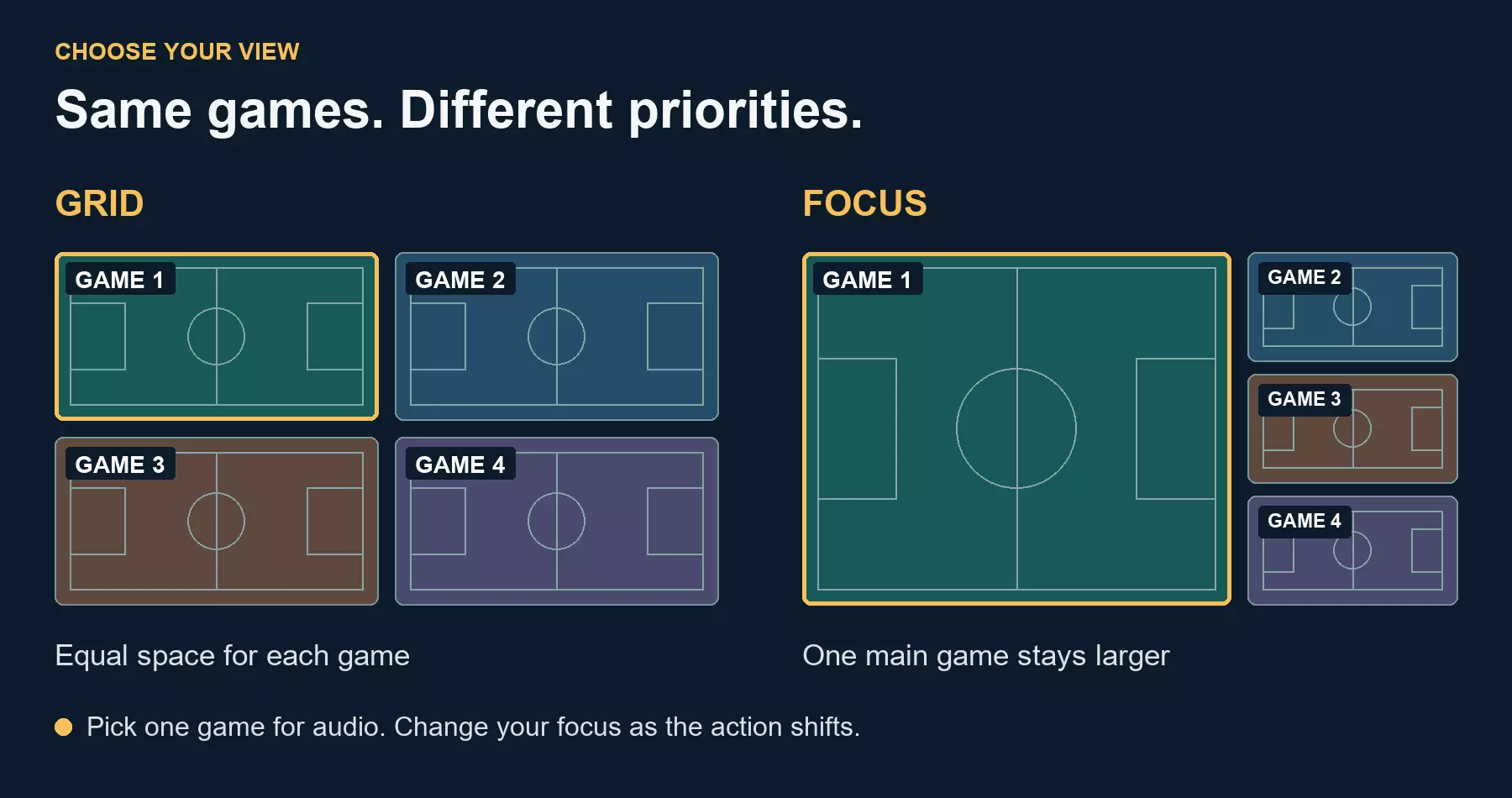
Grid gives each game equal space; Focus makes one game larger. Conceptual illustration, not a StreamEast screenshot. Layout proportions vary by service.
Don't judge the setup by the number of pictures. If you can't read the score from your normal seat, make the main game bigger or remove a view. Four games on a phone can be less useful than two on a laptop.
Give one game the sound
Multiple commentary feeds quickly become hard to follow. Keep the game you're watching most closely audible and mute the others. When your attention changes, switch the sound too.
The control varies by service. YouTube TV's multiview help, for example, documents an active-audio indicator and switching between views. Don't assume another player uses the same buttons or automatically changes audio when you enlarge a picture.
There can also be a delay between feeds. One may be closer to live than another, so a score alert can spoil a play before it reaches your screen. Putting the videos together doesn't automatically synchronize them. If spoilers bother you, silence score notifications while you watch.
When an extra game makes playback worse
If the screen starts stuttering after you add another game, remove that view first. It's a quick way to check whether the extra load is part of the problem. Then lower video quality if the player allows it, pause large downloads or try a wired connection where available.
There isn't one internet-speed figure that covers every multi-stream setup. Separate video feeds can add bandwidth and processing demands. Other systems combine the pictures before delivering them; AWS documents that server-side approach. Four visible games don't always mean four separate streams reaching your device.
If one game fails while the others continue, check whether that source is available on its own. A layout change won't restore an offline feed. Nor should fixing playback require an unfamiliar browser extension, a download from an ad or disabling your security settings.
Check access before planning the whole night
A multi-stream layout arranges video; it doesn't grant access to every broadcast. Use authorized coverage for your location and check any subscription requirements. Some services restrict which games can share a view, even when those games are individually available.
Before entering account or payment details, check the domain and make sure you're still on the intended service. Unexpected tabs and lookalike play buttons deserve caution. HTTPS protects the connection, but it doesn't certify every ad or embedded player.
A quick note on the name
If a search for multi-stream leads you to broadcasting software, you've found the other common meaning. Restream uses multistreaming for sending one broadcast to several platforms. For watching several games yourself, multiview or a multi-stream viewer is the more useful thing to look for. You don't need to become a broadcaster to use a viewing layout.
Quick questions
Can I mix different sports in one view?
Only if the service supports that combination. Check the games available in its selector rather than assuming any channel or outside link can be added.
Will it work on my television?
Check the service's device support. A website working on a laptop doesn't establish Smart TV browser compatibility, casting support or a dedicated TV app. Test your intended setup before the game starts.
Does muting a stream reduce data usage?
Usually not: muting changes what you hear while the video may keep downloading. Remove or stop an unnecessary feed to reduce its load, or lower the quality where supported.
Keep the finish in view
When a game reaches its final minutes, give it the space and sound it deserves. The other views can stay small or go away altogether. A good multi-stream setup should make a busy sports night easier to follow, not leave you watching four games and following none.